Spreadsheet limitations for business become clear when teams depend on manual files for financial reports, KPI reviews, data analytics, forecasts, and daily decisions. Excel remains useful for quick tasks, but modern business teams need trusted data, real-time access, audit trail control, and scalable analytics tools. As data volume grows, spreadsheet risk increases through human error, weak version control, manual processes, and limited security.
This article explains the disadvantages of Excel, the cons of Excel for enterprise use, and how cloud-based BI, EPM, and data modernization can help firms move from fragile spreadsheets to purpose-built systems.
What Are Spreadsheet Limitations for Business?
Spreadsheet limitations for business are the practical risks that appear when companies use spreadsheets beyond their proper role. These include weak data control, formula errors, slow report cycles, poor collaboration, security risks, and limited audit trail visibility.
For a small task, a spreadsheet can work well. For a board report, sales forecast, regulatory file, or multi-site operational review, spreadsheet errors can create wrong decisions.
From a data architecture perspective, spreadsheets don’t act like governed systems. They often lack API connectivity, role-based access, central data models, automated validation, and real-time updates. That makes them hard to trust at scale. The main disadvantages of spreadsheet use appear in five areas:
| Area | Common Problem | Business Impact |
| Accuracy | Formula breaks, wrong data entry, and copy-paste errors | Poor decisions and costly rework |
| Version control | Multiple file copies across team members | Confusion over the correct report |
| Security | Files shared by email or stored locally | Higher data breach risk |
| Speed | Manual processes and repeated report tasks | More time spent on low-value work |
| Scale | Large data sets slow down files | Poor performance and limited analysis |
This is why many firms now move key reports into business intelligence reporting platforms and governed analytics environments.
Why Businesses Still Depend on Spreadsheets
Spreadsheets remain popular because they are familiar. Most finance, sales, operations, and admin teams know how to use Excel. It feels flexible, low-cost, and fast.
That flexibility can hide deeper issues. A team may start with one Excel spreadsheet for a monthly report. Over time, that file may turn into a mission-critical tool with hidden formulas, manual data entry, and no audit trail. If one person leaves the company, no one else may know how the report works.
In my experience with enterprise cloud modernization projects, one of the first issues teams face is not a lack of data. It is a lack of trusted data. They may have hundreds of spreadsheets, yet no shared source of truth.
This is where business intelligence strategy becomes important. A clear strategy helps define which data belongs in spreadsheets, which data belongs in BI tools, and which business processes need formal automation.
Spreadsheet Limitations for Business and the Cost of Manual Processes
Spreadsheet limitations for business affect far more than IT teams. They affect finance, sales, supply chain, HR, customer service, and executive decisions.
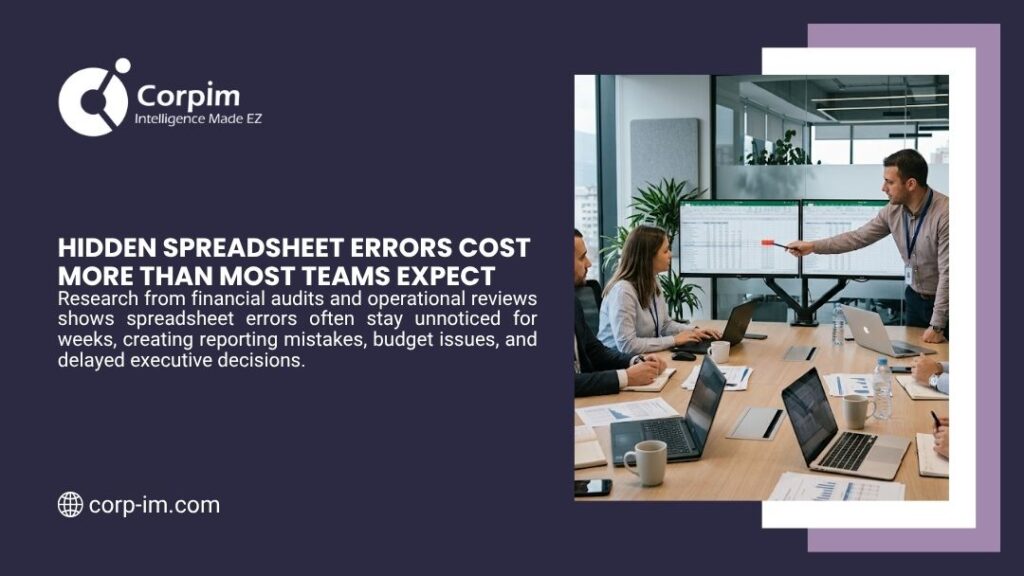
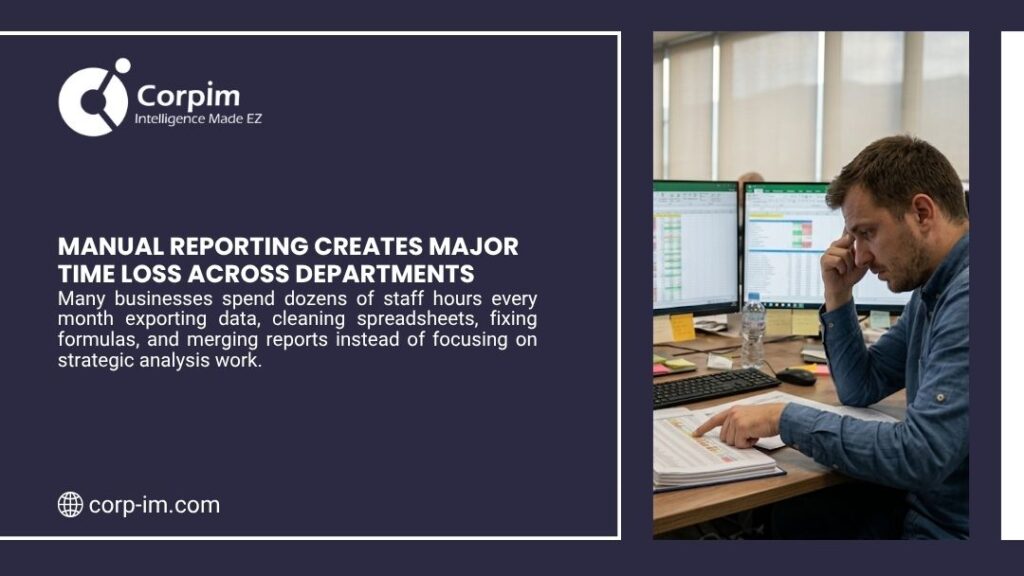
Manual processes take time. Staff export data, clean rows, adjust formulas, match values, send files, wait for changes, and repeat the same tasks next month. This time spent does not add much value. It also increases spreadsheet risk.
The disadvantages of using Excel become clearer when reports depend on multiple data sources. A finance team may pull ERP data, CRM data, payroll files, vendor invoices, and sales data into one workbook. Each handoff adds risk.
The final report may look polished, but the path behind it may include:
- Manual exports from several systems
- Copy-paste changes
- Hidden formulas
- Missing source notes
- Local file versions
- No clear audit trail
- Late data refresh cycles
A modern business intelligence implementation can reduce these risks by connecting source systems, automating refresh cycles, and giving leaders controlled dashboards.
Common Disadvantages of Excel in Enterprise Use
Excel is not the problem by itself. The problem is using Excel as a database, workflow engine, reporting platform, data warehouse, and compliance tool at the same time. Here are the most common cons of Excel for larger firms.
1. Human Error
Human error is one of the biggest spreadsheet risk factors. A wrong formula, a missed row, a deleted column, or an incorrect cell reference can change the result of a report. Spreadsheet errors often stay hidden because files do not always show a clear audit trail. A leader may see a final number without a visible path from source data to the final metric.
2. Version Control Problems
Version control becomes hard when team members share files by email or save copies with names such as “Final,” “Final_v2,” or “Final_Updated.” This creates confusion. Teams may not know which file is current, who changed it, or why a figure changed. For financial modeling and executive reports, that lack of control is risky.
3. Weak Collaboration
Spreadsheets don’t always support structured collaboration across departments. Teams may lock cells, hide sheets, or protect formulas, but these are limited safeguards. A purpose-built BI or EPM platform gives users defined access, workflow paths, approval steps, and shared definitions.
4. Security Risks
Sensitive spreadsheets often contain customer records, payroll data, financial forecasts, vendor costs, and operational metrics. If these files move through email or local drives, security risks increase.
Cloud-based analytics tools can offer stronger access control, identity integration, and activity logs. Firms that need private or hybrid cloud models may review options such as private cloud computing or hybrid cloud computing.
5. Limited Real-Time Insight
Spreadsheets usually reflect a moment in time. If the data changes after export, the report becomes outdated. Real-time analytics tools help teams see current figures, not last week’s file. This matters for sales teams, service networks, inventory control, financial planning, and customer operations.
Spreadsheet Limitations for Business in Data Analytics
Spreadsheet limitations for business become even more visible in data analytics. A single spreadsheet may handle small data sets, but it struggles with large volumes, complex transformations, API feeds, or advanced analytics.
Modern analytics often requires data integration, data cleansing, model control, role-based access, and AI/ML readiness. Spreadsheets don’t provide that foundation by default. AWS describes modern data architecture as a way to use data across “interactive SQL, business intelligence (BI), machine learning (ML), streaming, and big data analytics.” That is exactly where spreadsheets fall short for enterprise data analytics.
For example, if a company wants to combine website traffic, CRM activity, ERP orders, and finance data, spreadsheets create friction. Data entry becomes time-consuming. The formula logic becomes hard to trace. Leaders may lose faith in the final dashboard.
A better path is to define a modern business intelligence data strategy that includes data pipelines, governance, and analytics automation.
For firms with complex data flow, a strong data pipeline architecture can move data from source systems into trusted BI and EPM platforms with less manual effort.
Spreadsheet Risk Across Key Departments
Spreadsheet limitations for business show up differently across departments.
| Department | Spreadsheet Risk | Better Option |
| Finance | Formula errors in forecasts and budgets | EPM and governed financial models |
| Sales | Outdated pipeline reports | CRM-linked BI dashboards |
| Operations | Manual KPI files from stores or plants | Real-time operational analytics |
| HR | Sensitive payroll data in files | Secure cloud-based reporting |
| Executive Team | Conflicting reports from departments | Central source of truth |
This is why many firms explore enterprise performance management platforms. EPM can help with budget control, forecasting, planning, reporting, and performance visibility. Oracle explains that Cloud EPM provides “a unified view of financial, operational, and line of business planning,” which helps show why spreadsheet-based planning can limit accuracy and agility.
For leadership teams, the goal is not to remove every spreadsheet. The goal is to reduce the disadvantages of spreadsheet dependence where accuracy, compliance, scale, and speed matter most.
Cloud-Based Systems vs Spreadsheet-Based Reports
Cloud-based systems help address many spreadsheet limitations for business by centralizing data, access, and reporting logic.
| Model | Best Use | Benefit |
| Public Cloud | Scalable analytics, BI portals, app modernization | Fast scale and broad service access |
| Private Cloud | Sensitive workloads, strict control needs | More control and security focus |
| Hybrid Cloud | Mixed legacy and cloud systems | Balance of control and flexibility |
| Multi-Cloud | Vendor choice and resilience | Avoids dependence on one provider |
A firm that wants a broad scale may prefer public cloud computing. A firm with mixed systems may need a hybrid or multi-cloud design. The right choice depends on data type, compliance needs, budget, and internal IT capacity.
Corpim’s cloud service model fits this decision area because it supports public, private, hybrid, and multi-cloud paths. That helps companies move away from file-heavy processes without a sudden rip and replace project.
Purpose Built BI Tools Reduce Spreadsheet Errors
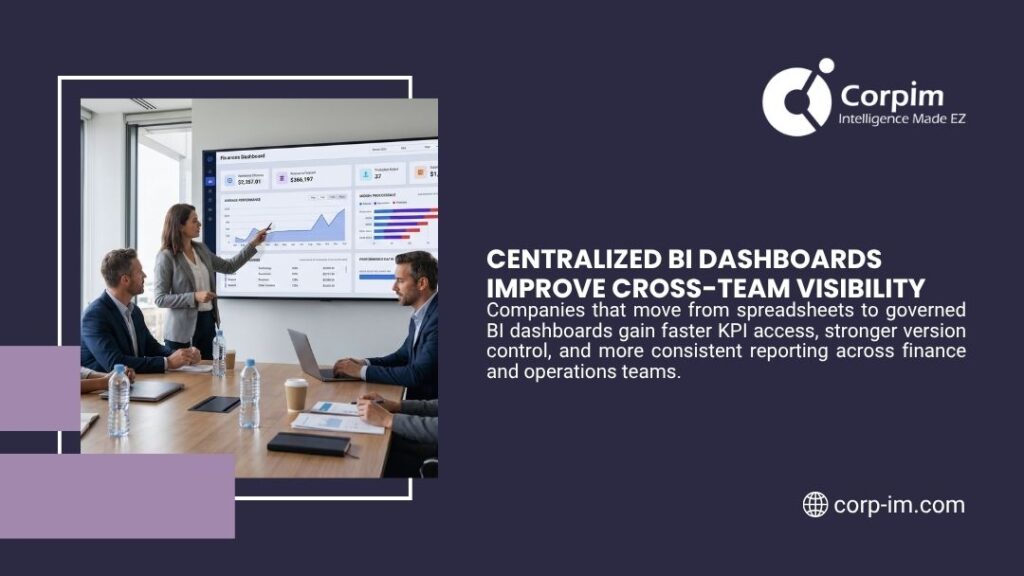
Purpose-built BI platforms help replace fragile reports with controlled analytics. These tools connect to source systems, refresh data on a defined schedule, and let users view dashboards without editing formulas.
Key benefits include:
- Fewer spreadsheet errors
- Better version control
- Stronger audit trail
- Less manual data entry
- Real-time or near-real-time dashboards
- More secure access for team members
- Clear KPI definitions
This is where business intelligence benefits become practical. BI is not just a visual dashboard. It is a controlled decision system. For companies that struggle with adoption, business intelligence best practices can help teams set standards for metric definitions, governance, user roles, and report design.
Spreadsheet Limitations for Business in Automotive, Finance, and Healthcare
Different industries face different spreadsheet issues.
Automotive and Multi-Location Operations
Automotive service groups and franchise networks often manage store performance, payroll, parts, vendor data, and customer metrics across many sites. Spreadsheets can slow down back-office work and make it hard to compare locations.
For example, a multi-location service business may use separate spreadsheets for payroll, parts, sales, and store KPIs. Each file may look accurate alone, but leadership cannot see a real-time view of location performance. A BI platform solves this by connecting POS, payroll, accounting, and operational data into one reporting layer.
Corpim’s DataLynx Online platform serves this type of need by connecting POS, payroll, accounting, and operational data for automotive businesses. For readers who need industry context, content around what a KPI is in the automotive industry can support this topic.
Financial Services
Financial firms must manage risk, compliance, customer data, portfolio data, and executive reporting. The disadvantages of Excel are serious when spreadsheets hold sensitive financial data or drive board-level reports. A firm in this sector may need business intelligence consulting for financial services to design secure analytics and governed reporting models.
Healthcare
Healthcare firms deal with patient data, claims, operations, cost metrics, and compliance. Spreadsheet risk can affect privacy, report accuracy, and resource decisions. A healthcare leader may need business intelligence services for healthcare to replace manual files with secure data workflows.
Insurance and Manufacturing
Insurance firms may use spreadsheets for claims, policy data, risk models, and actuarial support. Manufacturing firms may use them for production KPIs, inventory, quality checks, and supply chain reports.
In both cases, business intelligence consulting for insurance and business intelligence consulting for manufacturing can help reduce manual work and improve data reliability.
When Excel Still Makes Sense
A balanced view matters. Excel should not vanish from the business. Many users still need spreadsheets for ad hoc analysis, one-time calculations, small lists, and personal productivity.
The issue is scope. Excel works best when data set is small, the user owns the task, the report is low risk, the file does not drive major decisions, and no complex audit trail is needed.
Excel becomes risky when:
- Many team members edit the same file
- The file feeds executive reports
- The workbook holds sensitive data
- Data comes from many systems
- The same process repeats every week or month
- Errors would affect revenue, compliance, or customers
Excel users should be careful: a familiar file can quietly become a hidden system of record. Once that happens, leadership should assess the risk and consider a more governed platform.
How to Move Beyond Spreadsheet Limitations for Business
A strong transition does not require a rushed full replacement. The best path starts with a clear review of current reports, data sources, users, and risk points.
Step 1: Audit Critical Spreadsheets: List the files that support finance, operations, compliance, sales, and executive decisions. Identify owners, update frequency, data sources, and error history.
Step 2: Find Manual Processes: Look for reports that require repeated exports, copy-paste work, formula edits, or email approvals. These are prime candidates for automation.
Step 3: Define a Source of Truth: Decide which systems hold official data. This may include ERP, CRM, POS, HR, accounting, or cloud data platforms.
Step 4: Build Governance: Set rules for access, data quality, metric definitions, and audit trail control. Data governance helps reduce disagreement across departments.
Step 5: Use BI, EPM, and Cloud Platforms: Move recurring reports, KPI dashboards, and high-risk models into purpose-built platforms. This can include business intelligence services, EPM, cloud data lakes, or data warehouse platforms.
Step 6: Track ROI: Teams should measure saved time, fewer errors, faster report cycles, and better decisions. Understanding on analytics ROI calculation and business intelligence ROI can support this step.
AI, Automation, and the Future of Spreadsheet Replacement
AI and automation add another reason to address spreadsheet limitations for business. AI tools need clean, structured, and governed data. If key data lives in disconnected files, AI outputs may be weak or unreliable.
Modern BI platforms can support AI in business intelligence through pattern detection, forecasting, anomaly alerts, and natural language queries. But these systems depend on trusted data pipelines.
Companies that want AI/ML readiness should assess data quality, API access, cloud architecture, governance rules, security controls, data model consistency, and report ownership. This connects directly to AI for business intelligence and and areas like AI tools for business. The key lesson is simple: AI cannot fix messy data by itself. Better data systems must come first.
Choosing the Right Modernization Partner
A good modernization partner should understand both technology and business operations. The best partner can review legacy systems, map data flow, identify spreadsheet risk, and design a realistic cloud or BI roadmap.
Corpim’s background in data systems modernization, cloud platforms, professional services, and DataLynx gives it a relevant position for companies that want practical transformation rather than tool-only advice.
Its professional services can support architecture, IT leadership, virtual CIO needs, and custom development. Its also shows a long history in business consulting, IT services, EPM, and data modernization.
For a company with old systems, scattered spreadsheets, and delayed reports, this type of partner can help create a phased plan. That may start with one department, one reporting process, or one high-value KPI area before broader rollout.
FAQs
What are the biggest spreadsheet limitations for business?
The biggest spreadsheet limitations for business include human error, weak version control, poor audit trail visibility, security risks, slow manual processes, and limited real-time analytics. These risks grow when spreadsheets support executive reports or critical operations.
What are the main disadvantages of Excel for companies?
The main disadvantages of Excel include formula errors, manual data entry, file version confusion, limited collaboration, and weak governance. Excel is useful for simple work, but it is risky as a core reporting or database system.
Why do spreadsheet errors happen so often?
Spreadsheet errors happen because users often change formulas, copy data, delete rows, or edit files without automated controls. Without a strong audit trail, teams may not see the error until it affects a report or decision.
When should a company replace spreadsheets with BI tools?
A company should replace spreadsheets when reports are repeated often, shared across many team members, linked to major decisions, or based on data from multiple systems. BI tools provide better control, automation, and visibility.
How can Corpim help reduce spreadsheet risk?
Corpim can help companies modernize data systems, improve cloud architecture, create BI dashboards, support EPM needs, and replace manual spreadsheet workflows with purpose-built analytics solutions.
Closing Takeaway
Spreadsheet limitations for business are no longer minor productivity issues. They affect accuracy, security, speed, compliance, and leadership trust. Excel still has a place for quick tasks and personal analysis, but it should not carry the full weight of enterprise reporting, data analytics, or performance management.
Modern firms need cloud-based data systems, governed BI, EPM platforms, and secure analytics tools that reduce manual work and create a clear source of truth. For companies ready to move past spreadsheet risk, Corpim offers a practical path through cloud computing, data modernization, professional services, and industry-focused analytics solutions.