If your team is outgrowing spreadsheets, the issue is no longer file size alone. It means key reports rely on manual updates, different teams use different numbers, and leaders lack a trusted source of truth.
Spreadsheets still help with quick analysis, but they become risky when they act as a core system for finance, operations, sales, inventory, or compliance. At that point, the next step is not always full custom software. The better move is a clear data modernization plan: connect key systems, clean data, apply governance, and give teams real-time access through business intelligence.
In this article, we explore the warning signs of spreadsheet dependency, the risks it creates, and the practical steps businesses can take to move toward scalable BI, cloud, EPM, and data modernization.
What Does Outgrowing Spreadsheets Really Mean?
Outgrowing spreadsheets means your business has reached the point where Excel files or Google Sheets can no longer support the speed, accuracy, access control, and scale your teams need.
This usually starts in small ways. A finance report takes two days instead of two hours. A manager sends a file named “final-final-v3.” Sales, finance, and operations all bring different numbers to the same meeting. Nobody is fully sure which file is current.
At a small scale, spreadsheets are fast and flexible. At enterprise scale, they can create hidden risk. As data volume grows, reports require more manual edits, version control breaks down, and analysts spend more time fixing files than explaining performance.
From a data architecture perspective, a spreadsheet problem is often a system problem. The business may have data locked inside ERP, CRM, POS, accounting, ecommerce, warehouse, or SaaS platforms. Without a clear business intelligence strategy, teams export data into sheets and force manual files to act like a modern data platform. That is the real signal: the spreadsheet is no longer a tool. It has become an unofficial system.
Warning Signs Your Business Is Outgrowing Spreadsheets
The strongest warning signs are not always technical. They show up in daily work, delayed decisions, duplicated effort, and lower trust in reports.
1. Reports Require Too Much Manual Work
When reports require copy-paste work, manual formulas, file merges, and repeated checks, the spreadsheet is no longer a simple support tool. It has become a fragile business process.
This is common in finance, operations, inventory, franchise reporting, and sales analysis. One analyst may spend hours every week refreshing the same workbook. Another team may wait for that person before it can act.
A better model connects source systems to a governed data layer and uses business intelligence reporting to deliver repeatable dashboards. The goal is simple: reduce manual work, improve trust, and give leaders the same numbers at the same time.
2. Nobody Trusts the Source of Truth
A source of truth means each key metric has one approved definition, one trusted data source, and one clear owner.
When spreadsheet-heavy processes take over, that trust disappears. Revenue may mean one thing to sales and another to finance. Customer count may change by report. Margin may depend on which file someone opened.
This creates meeting friction. Teams debate the data instead of the decision. A strong business intelligence data strategy defines metrics, ownership, access, and governance before dashboards scale across the business.
3. Version Control Has Become a Business Risk
Version control is one of the clearest warning signs. If teams pass files by email, save copies on local drives, or edit separate Google Sheets, errors become hard to trace.
This matters even more in financial services, healthcare, insurance, and manufacturing, where audit trails, access control, and data accuracy carry a higher risk.
Even cloud-based spreadsheets can fail at scale if users create duplicate tabs, personal views, manual formulas, or separate files. Google Sheets improves shared access, but it does not solve every data governance or system integration issue.
If users search for outgrow Google Sheets integration, they are often past the template stage. They need connected systems, API connectivity, and BI rather than another manual workaround.
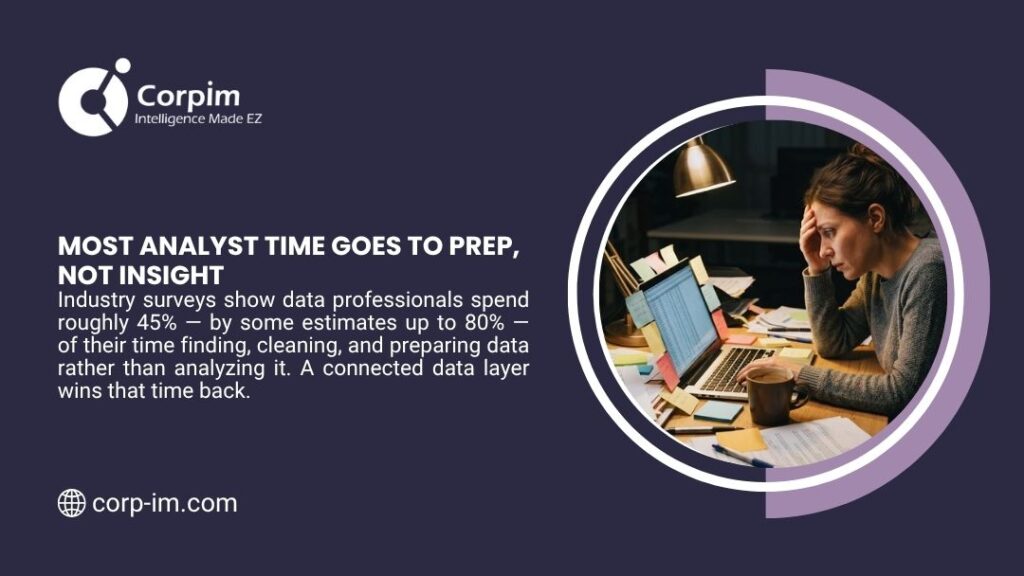
4. Teams Spend More Time Fixing Data Than Using It
When analysts spend more time cleaning CSV files than giving insight, the business has a data process problem. This often means:
- Data comes from too many systems
- Formats do not match
- Manual rules live in one person’s head
- Reports break when a source file changes
- Leaders see performance too late
A clean pipeline can solve many of these problems. Understanding data pipeline architecture and data pipeline architecture best practices can support teams that need a more technical path.
5. Spreadsheet Errors Affect Business Decisions
A small formula error can distort revenue, inventory, costs, payroll, commissions, or forecasts. The risk grows when spreadsheets support enterprise performance, board reports, regulatory data, or customer-facing decisions.
Spreadsheet risk is not just a productivity concern. It can affect profit, compliance, executive confidence, and customer trust.
The first fix is not always a new tool. The first fix is to understand which data matters most, where it comes from, who owns it, and how it should move across the business.
The Spreadsheet Risk Score
Use this quick scorecard before you replace a spreadsheet, rebuild a report, or invest in custom software. If two or more answers show high risk, the process likely needs BI, data integration, or stronger governance.
| Question | Risk Signal |
| Does the report affect revenue, payroll, compliance, or executive decisions? | High risk |
| Does more than one team edit the file? | High risk |
| Is there no clear owner for the report or metric? | Medium/high risk |
| Does the report require manual exports from ERP, CRM, POS, or accounting systems? | High risk |
| Would one formula error affect a business decision? | High risk |
| Does leadership wait for one person to refresh the file? | Medium/high risk |
| Do teams argue over which version is correct? | High risk |
This framework gives leaders a practical way to rank spreadsheet risk before the problem becomes expensive. It also helps IT and business teams choose the right next step: BI dashboard, governed data model, API integration, EPM solution, or custom software.
Why Spreadsheet Workarounds Create Enterprise Risk
Spreadsheets become risky when they hold business-critical logic without the controls of a true system.
| Warning Sign | Business Risk | Better Next Step |
| Multiple file versions | Teams use different numbers | Create a governed source of truth |
| Manual data entry | Human error affects reports | Use API connectivity and validation rules |
| Slow report updates | Leaders act on stale data | Add real-time or near-real-time BI |
| No audit trail | Hard to prove who changed what | Use role-based access and data governance |
| Complex formulas | Logic breaks with small edits | Move rules into a data model |
| No system integration | Teams rely on exports and CSV files | Build a modern data pipeline |
For many companies, spreadsheet limitations for business become clear only after a mistake, delay, or audit concern. A stronger path is to act before spreadsheets become a control risk.
The Modern Path After Spreadsheet Dependency
A company does not need to replace every spreadsheet at once. In fact, a phased plan usually works better. The goal is to move from manual, file-based work to a connected data environment that supports reporting, analytics, AI/ML readiness, and enterprise performance management.
Step 1: Define the Reports That Matter Most
Start with the reports that guide decisions. These may include sales performance, margin, labor cost, cash flow, inventory, customer trends, service quality, claims, or forecast accuracy. Ask four questions:
- Who uses this report?
- Which decision does it support?
- Which system provides the data?
- What happens if the report is wrong?
This step prevents tool-first decisions. It also helps leaders connect BI spend to business value, which supports stronger analytics ROI calculation.
Step 2: Build a Source of Truth Before Custom Software
Many teams jump straight from spreadsheets to custom software. That can work, but only if the data model is clear first.
Custom software built on poor data will carry the same problems into a new interface. Before software development, define the source of truth, data rules, metric definitions, and access model.
Corpim’s professional services and architecture teams support this type of foundation by aligning IT decisions with long-term business goals, system design, and data strategy.
Step 3: Connect Data Through APIs and Pipelines
Modern data work depends on integration. Instead of exports, teams need controlled data movement from ERP, CRM, POS, ecommerce, accounting, warehouse, and SaaS platforms. This is where API connectivity, ETL/ELT pipelines, data validation, and governance matter.
For a company moving away from spreadsheet-based reporting, this shift changes the process from “send me the latest file” to “open the approved dashboard.” It also reduces the data cleanup burden.
Step 4: Modernize the Platform
Older databases and on-premise systems can limit speed, scale, and AI/ML readiness. That is where legacy system modernization becomes important.
A modern platform may include a cloud data lake, warehouse, governed semantic layer, reporting tools, DevOps process, security controls, and metadata management.
The result is not just faster reports. It creates a data foundation that can support forecasting, anomaly detection, automation, and advanced analytics.
Cloud, BI, and EPM: The Safer Path Beyond Spreadsheets
Cloud platforms help companies move from local files and disconnected systems to scalable, secure, shared data environments. The best model depends on cost, compliance, workload type, security needs, and current infrastructure.
For companies planning a move beyond spreadsheet-based reporting, official cloud and data resources can provide useful guidance. Microsoft’s Cloud Adoption Framework helps teams plan cloud adoption, AWS Well-Architected supports better cloud architecture decisions, Google Cloud’s data analytics resources explain modern analytics environments, and Oracle Cloud EPM shows how enterprise performance management can support planning and reporting at scale.
| Cloud Model | Best Fit | How It Helps After Spreadsheets |
| Public cloud | Fast scale, broad service options, flexible cost | Supports BI, data lakes, AI/ML, and SaaS data |
| Private cloud | Higher control and specific compliance needs | Gives more control over access and infrastructure |
| Hybrid cloud | Mix of cloud and on-premise systems | Helps firms modernize without a full move at once |
| Multi-cloud | More than one cloud vendor | Supports cost control, resilience, or platform-specific needs |
A company may start with hybrid cloud computing if core systems still run on-premises. Others may choose public cloud computing or private cloud computing based on security, cost, and governance needs.
A broader cloud computing guide can help business leaders compare options before they invest.
Outgrowing Spreadsheets in Finance, Operations, and Service Networks
Different teams feel spreadsheet limits in different ways. Finance teams often see the issue in budgets, forecasts, close cycles, scenario plans, and board reports. When finance teams depend on fragile workbooks, the next step may involve enterprise performance management to improve planning, forecasting, and performance visibility.
Operations teams often see the issue in inventory, labor, production, service quality, and vendor performance. They need near-real-time metrics rather than old exports.
Sales and customer teams may struggle with pipeline reports, customer value, churn trends, or campaign performance.
Outgrowing Spreadsheets in Multi-Location Operations
Multi-location businesses often reach the breaking point faster because every store, branch, or service center creates another layer of reporting complexity.
Automotive service groups and multi-store operators face a clear example. POS data, parts invoices, technician pay, payroll, store KPIs, and daily reports may live across many systems. Corpim’s DataLynx Cloud supports this type of multi-location visibility for automotive service and tire businesses.
When Custom Software Makes Sense
Custom software makes sense when a process is too specific for off-the-shelf tools, too valuable to run in spreadsheets, or too complex for standard BI alone. Good use cases include:
- Multi-step approvals
- Partner portals
- Field service workflows
- Custom pricing rules
- Franchise operations
- Industry-specific compliance workflows
- Complex commission models
- Data entry with validation rules
Still, custom software should connect to a governed data layer. Otherwise, the business can end up with a new silo.
From a data architecture perspective, the best custom software projects start with a clear data model, integration plan, and BI roadmap. This helps the system support analytics from day one.
How Business Intelligence Replaces Spreadsheet Dependency
Business intelligence does not mean every employee stops using spreadsheets. It means spreadsheets no longer act as the primary control point for enterprise data.
With BI, teams can view dashboards, filter approved metrics, track performance, and compare trends without rebuilding reports every week. This supports:
- Faster decisions
- Fewer manual errors
- Better access control
- Clearer metric definitions
- Real-time or near real-time views
- Easier executive reporting
- Improved compliance support
Strong business intelligence implementation also addresses adoption. If dashboards are hard to use, people return to old files. A practical BI program includes training, documentation, stakeholder feedback, and clear ownership.
For leaders who need the business case, business intelligence benefits, and BI total cost of ownership are useful next reads.
The Cost of Staying Too Long in Spreadsheets
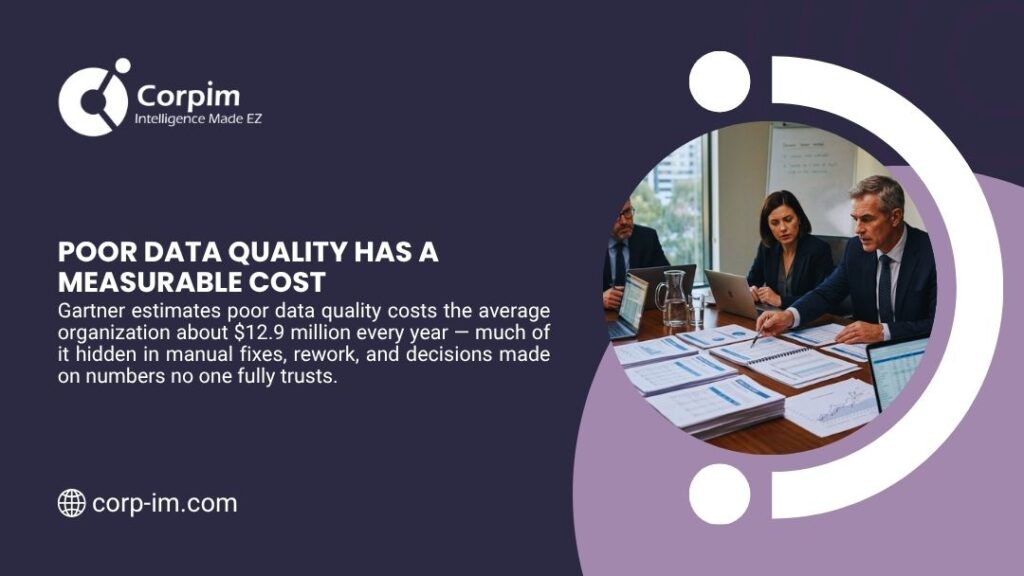
The cost of spreadsheet dependency is not only the software cost. It includes lost time, data rework, slower decisions, and higher risk. A company may pay for spreadsheet-heavy processes through:
- Analyst hours lost to manual report prep
- Delayed decisions from stale data
- Duplicated work across departments
- Wrong forecasts or inaccurate budgets
- Audit concerns from weak version control
- Data cleanup before every leadership meeting
- Lower trust in reports
These costs often go unnoticed because spreadsheet-based work feels routine. Over time, the cost of bad data decisions can surpass the investment required for modernization.
A practical modernization plan should measure time saved, error reduction, report cycle speed, and decision impact. This links data work to business intelligence ROI, not just IT spend.
A Practical Roadmap for Companies Outgrowing Spreadsheets
| Phase | Main Goal | Key Actions |
| Audit | Find critical spreadsheet risk | List core reports, owners, data sources, and manual steps |
| Prioritize | Focus on high-value reports | Rank reports by risk, time cost, and business value |
| Integrate | Connect source systems | Use APIs, pipelines, and validated data movement |
| Govern | Create trust | Define metrics, access, data quality rules, and owners |
| Report | Replace manual files | Build BI dashboards and automated reports |
| Optimize | Scale the program | Add forecasting, AI/ML, EPM, and workflow automation |
This roadmap helps teams move in phases. It avoids big-bang change and gives value early. If your business is outgrowing spreadsheets, the best first project is usually a high-value, high-friction report. Choose one report that many people use, that takes too long to prepare, and that affects important decisions. A successful first project builds confidence for the next one.
Where Corpim Fits Into This Modernization Path
Corpim is a strong fit for companies that need more than a dashboard tool. Their work spans cloud, data modernization, EPM, architecture, BI, custom development, and industry-specific SaaS.
Corpim has evolved from business consulting into a U.S.-based digital transformation partner with deep experience in modern DataTech, cloud platforms, architecture leadership, and enterprise reporting. The company serves organizations from emerging companies to Fortune 500 enterprises and supports industries such as automotive, financial services, healthcare, insurance, and manufacturing.
That matters because spreadsheet dependency is rarely one problem. It may involve legacy systems, data quality, reporting logic, cloud architecture, stakeholder trust, and business process design. Corpim’s approach is useful for organizations that need:
- A modern data platform
- BI and analytics automation
- Cloud architecture support
- Enterprise performance management
- Custom development
- Virtual CIO or architecture guidance
- Industry-specific SaaS for automotive operations
For larger organizations, a business intelligence consulting enterprise can support complex BI needs across multiple departments. For growing firms, business intelligence consulting SMB may be a better entry point.
Companies in regulated or complex sectors can also explore business intelligence consulting for healthcare, business intelligence consulting for insurance, business intelligence consulting for manufacturing, or business intelligence consulting for financial services.
Checklist: What to Do Before You Replace Spreadsheets
Before you select a tool, complete this checklist:
- List the top 10 business-critical spreadsheets.
- Mark, which reports require manual work?
- Identify who owns each metric.
- Find all source systems behind each report.
- Document current version control gaps.
- Check where access is too open or too limited.
- Rank reports by business risk.
- Build a data quality plan.
- Define dashboard users and decisions.
- Estimate time saved and ROI.
This gives leaders a clear plan before they invest in BI, EPM, cloud, or custom software. For long-term success, track adoption and value after launch. A guidance on measuring BI success can help teams prove the impact.
FAQs About Outgrowing Spreadsheets
What are the first signs that a company is outgrowing spreadsheets?
The first signs include manual report prep, duplicate file versions, unclear metric definitions, slow updates, and teams that do not trust the same numbers. If reports require constant fixes, your business is likely past the safe limit for spreadsheet-based reporting.
Is Google Sheets enough for a growing business?
Google Sheets can help with shared access and simple collaboration, but it may not solve data governance, audit control, API integration, or enterprise reporting needs. If users search for outgrow Google Sheets integration, they likely need BI, data integration, or a modern data platform.
When should a business replace spreadsheets with BI?
A business should move to BI when spreadsheets support critical decisions, require manual updates, create version control problems, or delay leadership reports. BI helps teams use trusted, governed data instead of repeated exports.
Does outgrowing spreadsheets mean we need custom software?
No. Custom software is useful for unique workflows, but many companies should start with data integration, governance, and BI. The right path depends on the process, data sources, users, and risk level.
How can Corpim help companies outgrow spreadsheets?
Corpim helps businesses modernize data systems, connect cloud platforms, improve business intelligence, support enterprise performance management, and create industry-specific SaaS solutions. This helps companies replace fragile spreadsheet processes with scalable, trusted data systems.
Final Takeaway
If your business is outgrowing spreadsheets, the problem is bigger than file size. It is a sign that your data, reports, workflows, and decisions need a stronger foundation.
The right next step is a practical modernization plan: define the source of truth, connect key systems, apply governance, automate reports, and give teams real-time access to trusted data.
For enterprise teams, finance leaders, and multi-location operators, that shift can reduce manual work, improve confidence in reports, and create a cleaner path toward BI, EPM, cloud, and AI-ready analytics.